Category: Announcements
March 16th, 2022 by pio@shoreline.edu
Follow these steps now to get enrolled for classes:
- Activate your ctcLink account
- Log in to your ctcLink account to check your enrollment date and confirm your personal information
- Register (enroll) on your assigned enrollment date
Need help choosing classes?
Contact Advising Services:
*International students, contact International Education:
Need help activating your ctcLink account?
- Campus: Visit the main floor of the PUB or FOSS building, Monday to Thursday from 10am-2pm PST
- Zoom: Join us on Zoom Mondays, Wednesdays, Thursdays, Fridays between 10am-4pm PST and Tuesdays between 11am-6pm PST.
- Online: Visit the Support Center for answers to common questions or to chat with a live person, Monday to Friday from 8am-8pm PST and Saturday from 10am-2pm PST
Posted in Announcements, ctcLink
March 16th, 2022 by pio@shoreline.edu
Many Kudos to Shoreline Community College Women’s Basketball team for this year’s achievements. The Northwest Athletic Conference — Northern Region Awards have just been unveiled, and the Lady Dolphins have a lot to be proud of starting with Head Coach, Rodney Walker, who was voted Co-Coach of The Year by his peers. The awards do not stop there. Freshmen sensation, Aloha Akaka, was awarded First Team Northern Region and First Team Defense, and Kyla Miller was awarded the second team in the Northern Region.
The Shoreline Women’s Basketball team is headed to the Northwest Athletic Conference (NWAC) Women’s Basketball Championship tournament starting March 19th in Everett, WA. The Dolphins finished tied for third place this year in the Northern Region, which ensured them a playoff spot in the NWAC Championship Tournament. The Women’s Basketball team’s last playoff appearance was about 20 years ago. We are proud and excited for our women’s basketball team and the success Head Coach Rodney Walker and his staff have had this year.
The Lady Dolphins play this coming Saturday, March 19th at 8 pm versus the number 1 team from the east region the Walla Walla Warriors at Everett Community College gymnasium.
Please plan to join us as we cheer on our lady Dolphins! For more information on tickets regarding the NWAC Women’s Basketball Championships, please click on the following link: https://nwacsports.org/basketball_championships.
Posted in Announcements, Athletics
March 11th, 2022 by pio@shoreline.edu
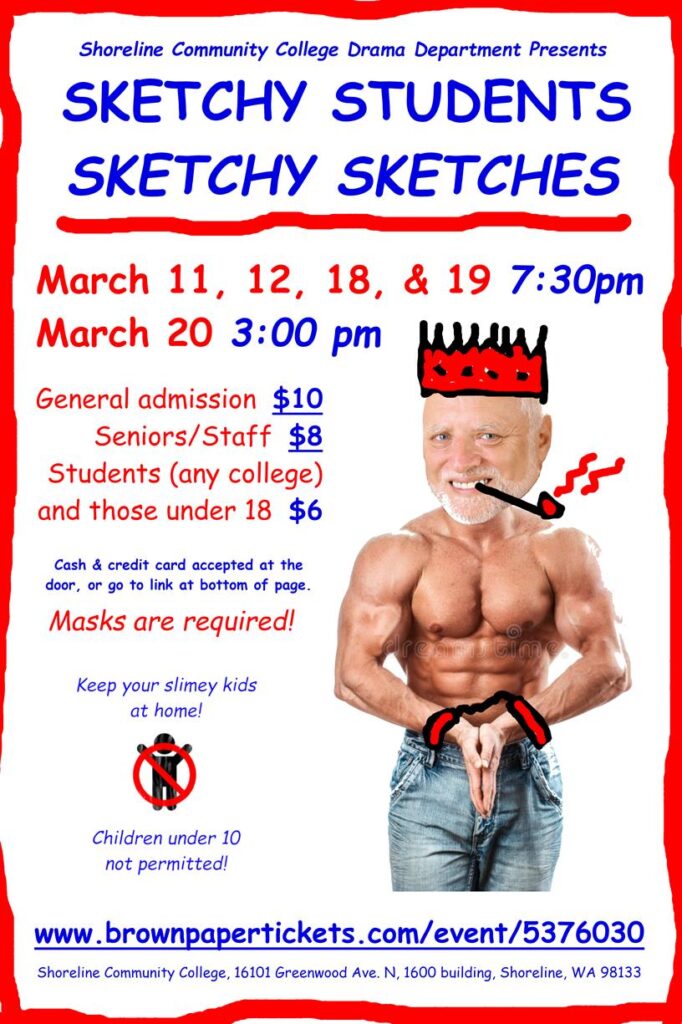
A Saturday Night Live-inspired evening of original sketch comedy with live performances, music, and short films by SCC theatre and film students!
https://www.brownpapertickets.com/event/5376030
$10 General Admission
$8 Staff & Seniors
$6 Students
Posted in Announcements, Events, Student Life
March 11th, 2022 by pio@shoreline.edu
Students,
It’s time to get your new student ID number by activating your ctcLink account!! Please activate your account now to be prepared for registration that opens on March 16th for Continuing Students.
Go to the ctcLink for Students page to find Account Activation instructions and follow the steps to create your ctcLink account. Please visit this link from a laptop or desktop computer. Once you’ve activated your account, you’ll receive your new ctcLink ID number. If you already have a ctcLink ID number from another college, there’s no need to activate again, just log in using that ctcLink ID and password.
Please note: Canvas will not be affected by ctcLink. Continue to log into Canvas with your Shoreline Network account information (go.shoreline.edu email and password).
Need help getting started?
Posted in ctcLink
March 7th, 2022 by pio@shoreline.edu
Posted in ctcLink
March 7th, 2022 by pio@shoreline.edu
Students,
It’s time to get your new student ID number by activating your ctcLink account!! Please activate your account now to be prepared for registration that opens on March 16th for Continuing Students.
Go to the ctcLink for Students page to find Account Activation instructions and follow the steps to create your ctcLink account. Please visit this link from a laptop or desktop computer. Once you’ve activated your account, you’ll receive your new ctcLink ID number. If you already have a ctcLink ID number from another college, there’s no need to activate again, just log in using that ctcLink ID and password.
Please note: Canvas will not be affected by ctcLink. Continue to log into Canvas with your Shoreline Network account information (go.shoreline.edu email and password).
Need help getting started?
Posted in ctcLink
March 3rd, 2022 by pio@shoreline.edu
Consider a paid internship opportunity through Shoreline College! Email us in February to get your information to us before the application deadline. Email biomanufacturing@shoreline.edu to get started.

Posted in Announcements
March 3rd, 2022 by pio@shoreline.edu
Hi Students,
Welcome to March! Here are your latest updates regarding COVID-19 and the re-opening of campus. In this email, you will see updates regarding COVID-19 cases, mask guidance, building open hours, vaccines, testing, and spring parking. View this message on the web!
Masks:
The College is considering how recent county, state, and federal masking changes will affect the College’s indoor mask mandate for spring quarter. Please provide feedback via this survey. The College’s Executive Team will review survey feedback and announce a decision about indoor masking for spring quarter by March 15th, prior to registration opening for continuing students.
Masks are available at Welcome Desks in the 1000/Admin, 5000/FOSS, and 4000/Library buildings for those who have forgotten their mask.
Cases
There has been 1 new positive case at the College in the last 7 days.
Where to eat, wait, or study:
- The PUB/9000 building is open:
- 6:30 am – 8 pm Monday – Thursday
- 6:30 am – 5 pm Friday
- Closed: weekends/holidays (except for scheduled events)
- The Library in the 4000 building is open:
- 8am – 5 pm Monday – Thursday
Vaccines:
- If you have not attested to your vaccination status, please do so here. Students coming to the College for classes and/or ANY activities are required to attest to their vaccination status or claim a valid medical or religious exemption.
- The COVID-19 clinic on campus has now closed. The clinic operated from August 2021 through February 2022 and provided approximately 30,000 vaccines to the community.
- Still need a booster or first vaccine? Many vaccine sites continue to operate in the Shoreline area for people ages 5+ still needing to initiate or complete a vaccine series or receive a booster. Schedule an appointment for your free vaccine at:
Tests:
- Washington state residents can order more free tests during the month of March, while supplies last. You can place two orders of five tests each.
- The federal government is offering every home in the U.S. four free at-home COVID-19 tests and starting next week, every home in the U.S. will be able to order an additional set of 4 tests.
- Federal guidelines on coverage of over-the-counter (OTC) at-home COVID-19 tests call for your health insurance plan to cover the cost of FDA authorized OTC at-home tests without cost-sharing during the public health emergency, and without need for a provider’s order.
Parking:
Parking on campus will remain free for spring quarter; no permits will be required but hazardous/illegal parking will accrue fines.
Questions?
Best of luck with the final few weeks of Winter quarter!
Posted in Announcements
March 1st, 2022 by pio@shoreline.edu
Students,
ctcLink account activation instructions are coming on March 7th! Please review the Spring Quarter class schedule to be prepared for registration that opens on March 16th.
Key Dates and Timelines
(Click here to view all important dates)
- March 7th: Activate your student ctcLink account. We will send you instructions.
- March 16th: Current Student Registration Opens
Additional updates will be provided via email, text, Canvas, and voicemail. Missed an email or update? You can bookmark this link to see a feed of ctcLink updates in one place.
If you have questions, please visit the ctcLink Student Page or email support@shoreline.edu.
Posted in ctcLink
March 1st, 2022 by pio@shoreline.edu
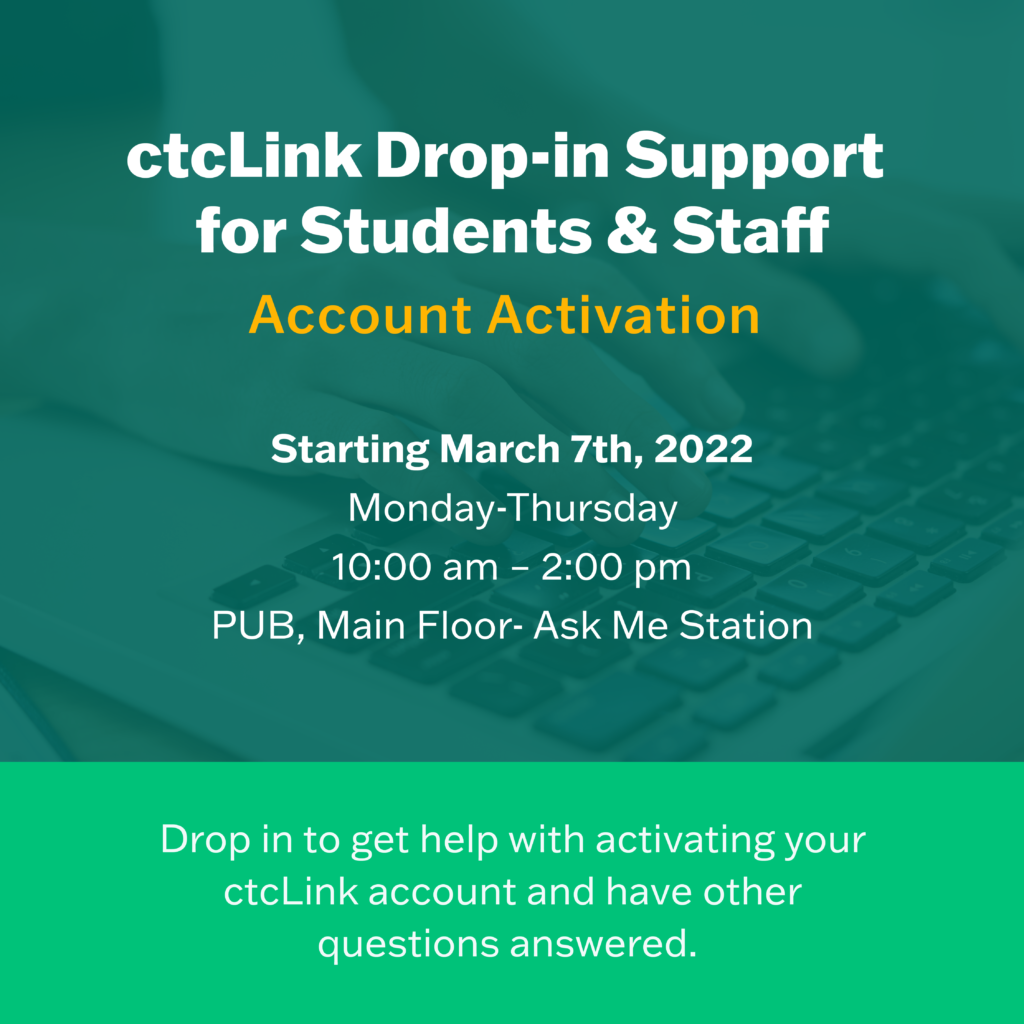
Starting March 7th, you can get help activating your ctcLink account!
Need help activating your ctcLink account or just curious what ctcLink is?
Get in-person support on the main floor of the Pub (follow the Ask Me signs).
Support is available Monday – Thursday from 10am-2pm.
Reach out to connect@shoreline.edu with any questions.
Posted in ctcLink